Open the kit.
Start a conversation.
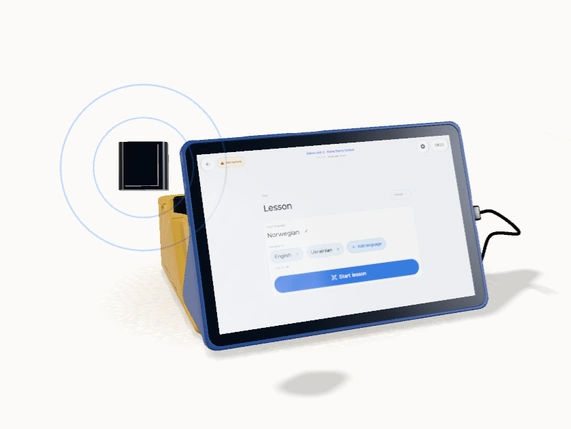
Everything starts in one case. Open the blue tablet cover and bring the Station to life.
One case. Everything together.Everything starts in one case. Open the blue tablet cover and bring the Station to life.
One case. Everything together.Tap Start conversation. Both languages appear on the tablet, while each headset plays the translation.
Listen. Speak. Understand. Hyggelig å møte deg. Nice to meet you.A teacher and a pupil, understanding each other.
Everyday banking, in your own language.
A shared plan, across languages.
A conversation with room for everyone.
A public service that speaks your language.
Local knowledge, wherever you come from.
Three ways to run it, from the same station.
The tablet lies flat between you, and each side reads the other's words in its own language.
Each person scans a QR code with their own phone and listens or reads there, in the browser.
Up to three people at the table each wear a wireless headset, and each headset hears only its own language.
A medical, legal or contractual conversation still needs a qualified interpreter.
Take the wireless microphone to the person doing the talking. The tablet can come along too.
A microphone that comes with youLift the microphone out of its dock and clip it to a shirt.
Wireless, away from the tabletTake the tablet with you on a tour, or set it on the teacher’s desk. Listeners hear your voice in their own language through earbuds connected to their phones.
The same tablet, beyond the deskPeople join from the room link or QR code and listen through their own earbuds, in their own language.
Voice and captions on every phoneCarry the tablet. Everyone listens through earbuds, in their own language.
One guide. Every visitor hears the story in their own language.
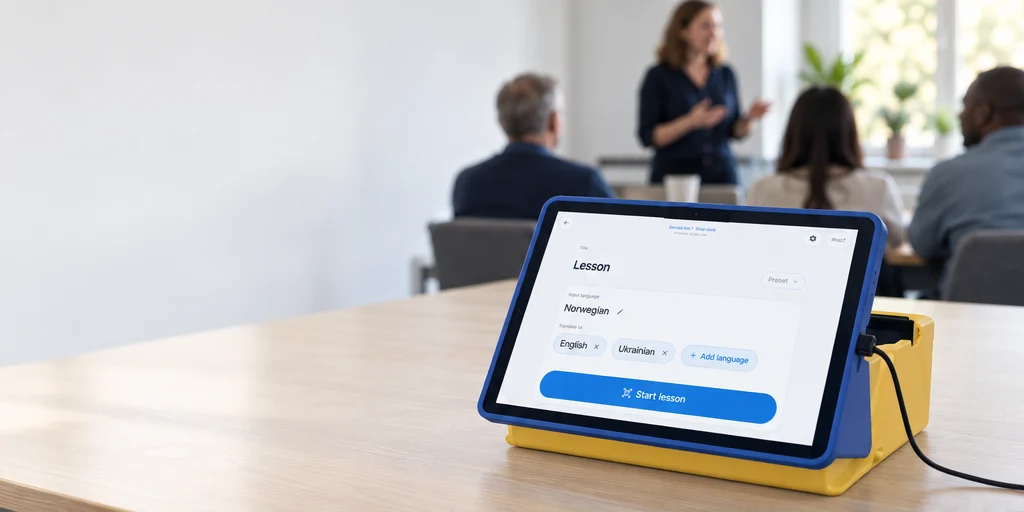
The tablet stays on the desk. Pupils listen in their language through earbuds.
Explain it once. The team hears it in their own languages through earbuds.
Tap Lesson and the QR code fills the screen. Everyone scans and listens on their own phone, with no app.
The room keeps a permanent link and a printed QR code that work week after week.
A school sees Lesson and Student or parent conversation. A municipality sees Meeting and Conversation with a resident.
A tablet that goes missing is revoked from the console and stops working the next time it is opened.
A station from us — the tablet and its stand, set up for the room — costs NOK 5,000 (USD 500 / EUR 459) per station excluding VAT, paid once, and it is yours to keep with a two-year warranty. The software runs on the organization plan you already have, in the same language-hours as every other session.
A 10-inch Android tablet, or an iPad you already own, in a stand that works upright for a lesson and flat for a conversation.
A wireless clip-on microphone for a speaker who moves around. NOK 1,500 (USD 150 / EUR 138), paid once.
One per seat at the table, each hearing only its own language. NOK 2,500 (USD 250 / EUR 229) per headset, paid once.
Yes — a 10-inch Android tablet or an iPad, with nothing to buy from us: it runs on your organization plan.
Only if you switch recording on. It is a separate switch, off by default, and a school's default is live-only. Set a session to temporary and no transcript line is written to our database at all.
Yes — the room's Wi-Fi. The phones need a connection too.
It stays yours. While you use Koine, the station opens straight into Koine and we keep it updated. Ask us any time and we release it as an ordinary tablet, and if Koine ever closes, we release every station first. We never lock equipment over an unpaid bill; only the translation service stops.
Yes, on request. A managed station, which Koine owns, maintains and replaces when its tablet stops getting updates, is NOK 3,000 (USD 300 / EUR 270) a year excluding VAT, and a station can also be rented for a single event. Ask us.